Have you ever wanted to create a website but froze the moment you opened a site builder?
Maybe you wondered, “Where do I even begin?” Or you scrolled through templates and felt pressured to pick the perfect one immediately. Maybe you weren’t even sure which pages your site should include.
If that sounds familiar, you’re not alone.
Most people don’t avoid building a website out of laziness — they avoid it because there are too many small decisions up front.
That’s why guided tools like Squarespace Blueprint AI can be useful. They provide a practical starting point so you don’t have to stare at a blank screen trying to figure out the first step.
What Is Squarespace Blueprint AI Builder?
Squarespace Blueprint AI Builder is a guided website creation tool that helps you get a site started quickly. Instead of designing everything from scratch, you answer a few simple questions and the tool generates a draft layout, style choices, and suggested content.
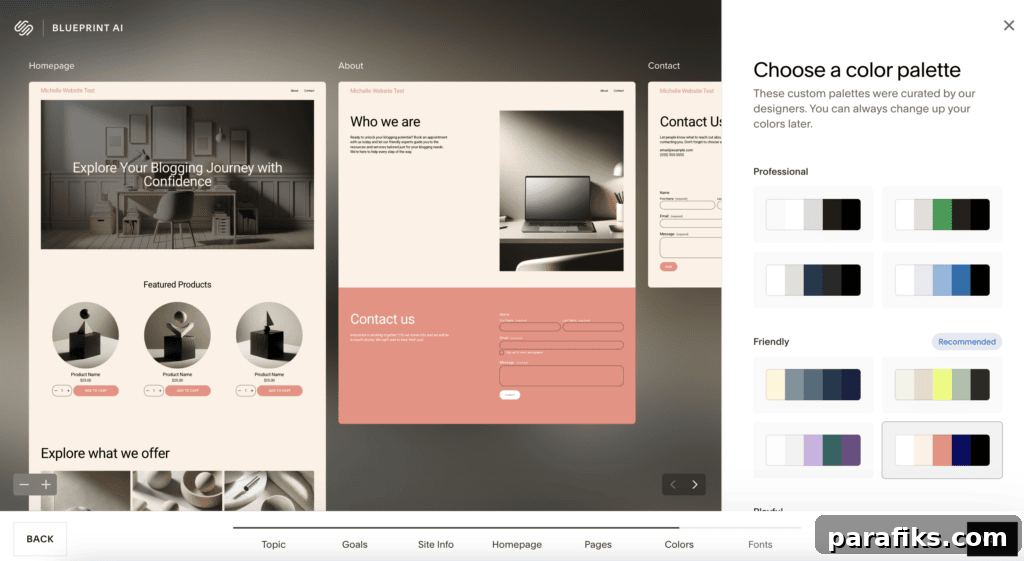
I tested it as someone who wanted a straightforward starting point. After answering a few prompts and choosing a color palette, the tool created a clean, organized website draft almost immediately. The best part was not having to begin from a blank page — Blueprint AI gave me a usable template I could edit and refine. For anyone who’s delayed launching a site because it felt overwhelming, this kind of guided setup makes the process much easier.
Why so many beginners get stuck when building a website
From years of blogging, I’ve noticed a common pattern: beginners don’t usually get stuck because the task is technically impossible — they get stuck because they believe every decision must be perfect from the start.
Typical worries include:
- Which pages do I actually need?
- What should my homepage say?
- Which colors and fonts suit my brand?
- What if the site looks unprofessional?
- What if I make the wrong choices and waste money?
When you feel overwhelmed by questions like these, it’s easy to postpone the project. Website builders that use guided prompts turn many of those initial choices into simple, clickable options — a big help for getting started.
Why Squarespace Blueprint AI Is Helpful if You Don’t Know Where To Start
Here are the practical benefits of trying Squarespace Blueprint AI.
1. It gives you a starting point (so you’re not staring at a blank screen)
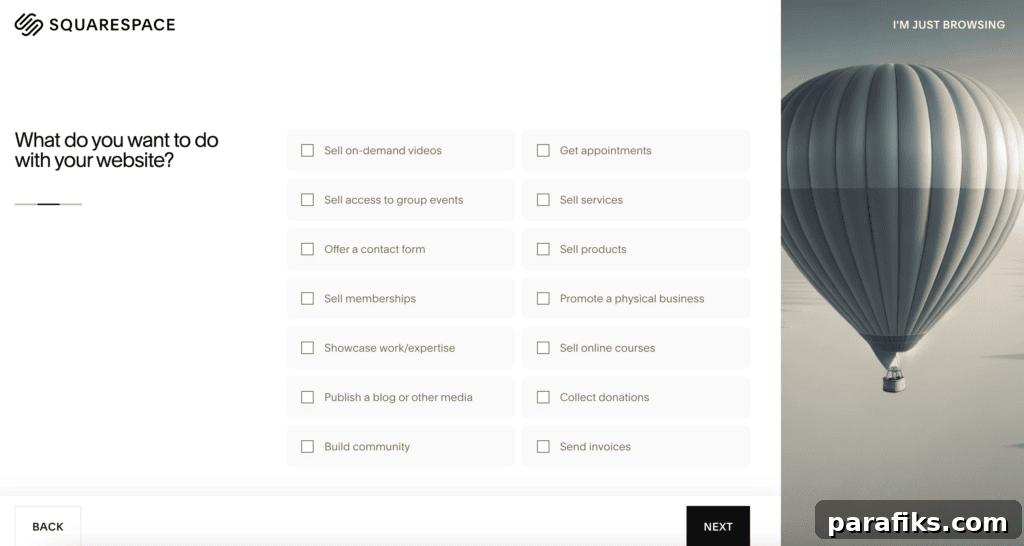
A blank editor can feel paralyzing. Blueprint AI generates a draft based on your answers so you have something concrete to edit. Even if the first draft isn’t perfect, having a structure in place makes it much easier to move forward.
2. It reduces decision overload
Spending hours comparing templates and styles can leave you more confused than when you began. Blueprint AI simplifies decisions by guiding you step by step. For beginners who don’t know what style suits their brand, that guidance can save a lot of time and frustration.
Remember: done beats perfect. You can always improve your site later, but you can’t improve something you never start.
3. It generates starter copy and images to help you move faster
Creating website copy is a frequent stumbling block. Questions like “What should my homepage say?” or “How do I summarize my services?” can stop progress. Blueprint AI offers content suggestions and images in the draft, giving you a foundation to personalize.
Always review and edit AI-generated text so your voice comes through. The AI’s role is to speed up the process, not replace your perspective.
4. It’s flexible, so you don’t have to get it perfect immediately
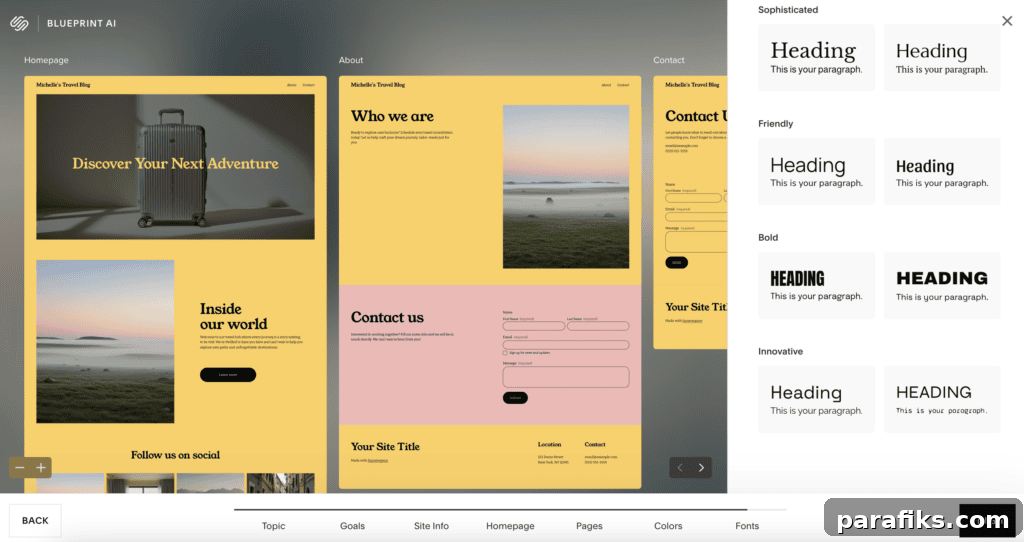
A common fear is choosing the wrong design. Blueprint AI templates are easily adjustable, so your initial choices don’t have to be permanent. Most successful websites evolve — you can change colors, update content, and add pages as your needs grow.
5. It’s beginner-friendly (no coding required)
Many people associate creating websites with coding. With Blueprint AI you don’t need technical skills. The guided process helps non-technical users build an attractive site without touching code.
6. It can be fast, which helps you stop procrastinating
Speed matters. A quick prototype turns “someday” into “today.” Blueprint AI can produce a draft in minutes — then you can refine it on your schedule.
Who Is Squarespace Blueprint AI Best For?
This tool is especially useful for:
- People building their first website
- Those overwhelmed by too many design choices
- Busy people who want a quicker starting point
- Anyone who wants a polished-looking site without advanced design skills
If you’ve put off building a website for months or years, a guided builder can help you finally get something live.
Who might not prefer it?
Blueprint AI may be less appealing if:
- You already have a detailed design or brand guide and want full control from the start
- You prefer building every element from scratch
- You enjoy the design process and want to take your time shaping every detail
That’s perfectly fine — different projects need different tools.
Should I use Squarespace or WordPress?
Both platforms have strengths. Squarespace is a strong choice if you want an easy, all-in-one solution that’s simple for beginners. WordPress offers greater flexibility and customization but usually requires more technical setup and a steeper learning curve. Choose the platform that best matches your priorities: simplicity and speed, or flexibility and extensibility.
Frequently Asked Questions
Quick answers to common questions about using an AI website builder.
What is an AI website builder?
An AI website builder uses machine learning to generate a tailored website layout, design direction, and content suggestions based on your responses to a series of questions. It speeds up the initial setup by producing a personalized draft to edit and refine.
Is Squarespace Blueprint AI Builder free?
You can try the Blueprint AI Builder free for an introductory period, but publishing a live site requires a paid Squarespace plan.
How long does it take to build a website with AI?
Blueprint AI can generate a website draft in minutes. That draft speeds up the process, but you’ll likely want to review and customize content before publishing.
Can I change my website after it’s created?
Yes. The sites produced by Blueprint AI are editable, so you can update text, images, layout, and style whenever you want.
What types of websites can I create with an AI website builder?
AI builders are flexible enough for portfolios, blogs, small business sites, service pages, and basic online stores. They provide a foundation that you can expand to match your goals.
Should I publish AI-written copy exactly as is?
No. Use AI-generated copy as a starting point, then edit it to reflect your voice, check facts, and tailor the messaging to your audience.
Summary: Why Squarespace Blueprint AI Helps You Start
If you’ve delayed building a website because it feels overwhelming, you don’t need perfection or a costly design to begin. What you need is a starting point.
Squarespace Blueprint AI offers a fast way to produce a polished draft you can edit and improve, helping you move past procrastination and launch a site.
What’s the biggest thing holding you back from starting a website right now?
Recommended reading:
- How To Monetize A Blog: How I Grew A $5 Million Blog
- How To Decide What To Blog About if You Want To Make Money
- The 25 Most-Asked Blogging Questions To Get You Started Today