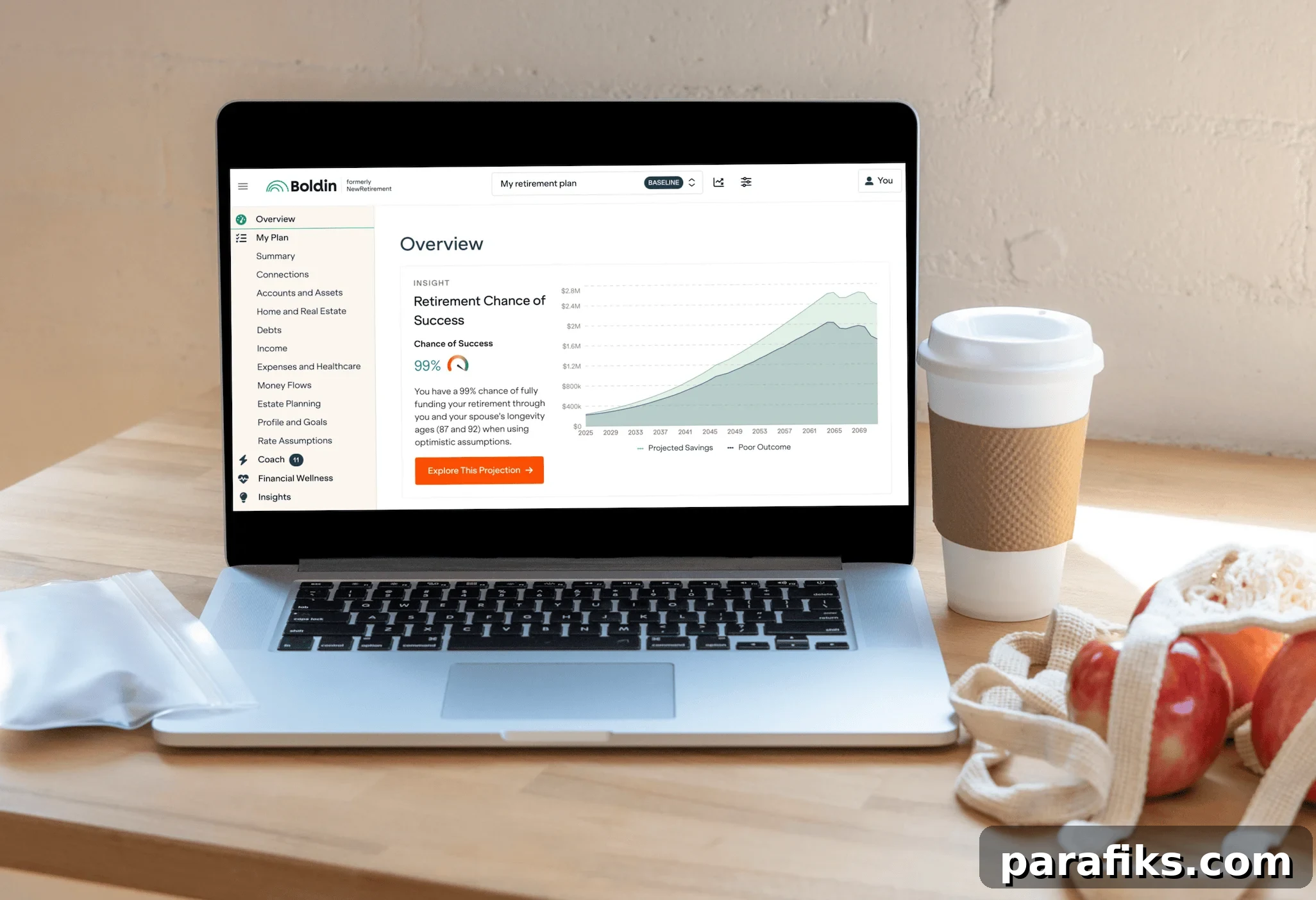
Wondering if Boldin is the right tool to help you plan for retirement? This Boldin Review explains everything you need to know.
Financial planning can feel overwhelming. I tried Boldin (formerly NewRetirement) to see how well it helps people understand whether they are on track for retirement, when they can retire, and how to make their money last. Boldin stands out because it dives deep into retirement planning—covering Social Security, taxes, healthcare, estate planning, and more—rather than only showing net worth or account balances.
If you want to take control of your retirement planning, Boldin is a strong option. It lets you run scenarios to make better decisions and gain clarity about savings rates, investments, and spending. You can build a detailed plan and test different choices to see their long-term impact.
I spent a few hours on the platform experimenting with scenarios, adjusting inputs, and reviewing results. It was revealing to watch how small changes affected projections, and the visualizations made complex trade-offs easier to understand.
Try Boldin for free.
Boldin Review
In this review I’ll cover what Boldin is, how it works, who benefits most from it, and whether it’s worth the cost.
What is Boldin?
Boldin is retirement planning software that helps you create a comprehensive financial plan. Launched as NewRetirement and renamed Boldin in 2024, the platform models your full financial journey—savings, expenses, investments, taxes, Social Security, housing choices, and retirement spending.
It answers practical questions such as:
- Am I saving enough?
- Should I save more or pay down debt?
- How much house can I afford?
- When can I realistically retire?
- Can I retire early?
- Will I run out of money in retirement?
- Should I convert to a Roth IRA?
- Can I afford to help family or give to charity?
Boldin is built for regular people who want to better understand their finances and make informed choices, whether they work with an advisor or prefer a DIY approach.
I evaluated Boldin because I look for tools that are user-friendly, useful, and reasonably priced. What impressed me most is how in-depth the platform is: you’re not just entering a few numbers but constructing a detailed financial roadmap and testing life decisions to see the effects.
In essence, Boldin combines a retirement calculator, a financial coach, and a tax planner into one tool.
Create your free Boldin account and see your retirement plan in minutes.
What does Boldin help you do?
Boldin focuses on retirement planning and offers many capabilities beyond tracking investments:
- Get a clear view of your net worth
- Estimate retirement income and expenses
- Optimize the best age to claim Social Security
- Evaluate Roth conversions and tax strategies
- Model housing decisions like downsizing or relocating
- Assess how different investment returns affect your plan
- Plan for healthcare and long-term care costs
- Forecast estate value and legacy goals
- Run detailed “what-if” scenarios
Whether you want to determine a safe spending level, plan travel, or figure out retirement timing, Boldin helps you answer those questions. It’s easy to use: you can spend ten minutes entering basic data or dig in for hours to explore many scenarios.
Who is Boldin for?
Boldin suits a range of users, including:
- People actively planning for retirement
- Anyone optimizing taxes, Social Security, or healthcare
- Early retirees and members of the FIRE community
- DIY investors who want to avoid high advisory fees
Common use cases include deciding whether to retire now or later, modeling the impact of buying a second home, determining the best time to claim Social Security, and planning healthcare costs for early retirement. Users report gaining peace of mind and avoiding costly mistakes.
How does Boldin work?
Boldin helps you build a personalized retirement plan. You can create a free account quickly and begin adding financial details. The basic process is:
- Sign up for a free Boldin account.
- Enter financial information—income, assets, savings, retirement goals, and expenses. You can enter only the basics or provide more than 100 data points for a detailed model.
- Use planning tools to customize your plan, including life events like retiring early, downsizing, or Roth conversions.
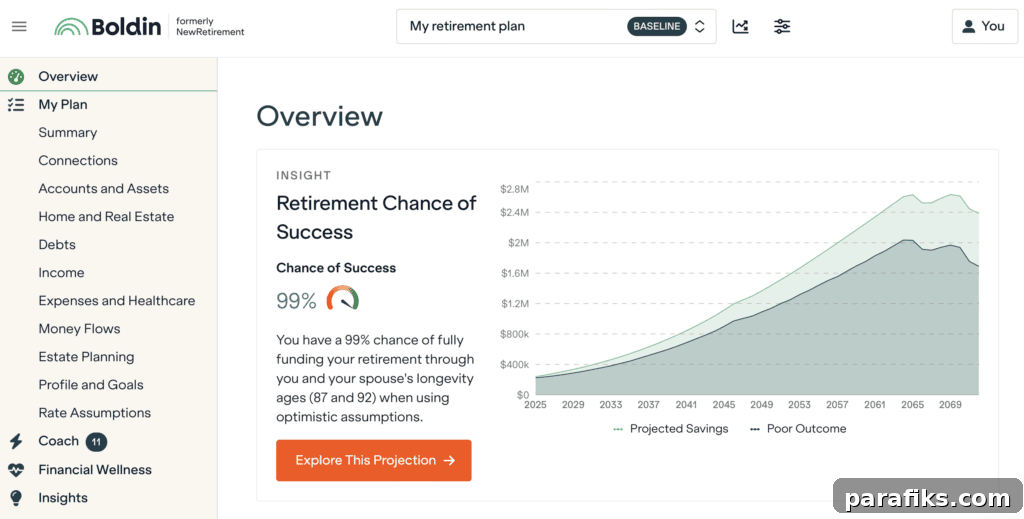
- Explore the dashboard to view projections, compare scenarios, and check whether your plan is on track.
Boldin is detailed and flexible. You can link accounts for automatic updates or enter information manually, making it ideal for those who prefer full control over their inputs.
Boldin’s Best Tools
After using Boldin, these features stood out as particularly useful:
1. What-if scenario comparisons
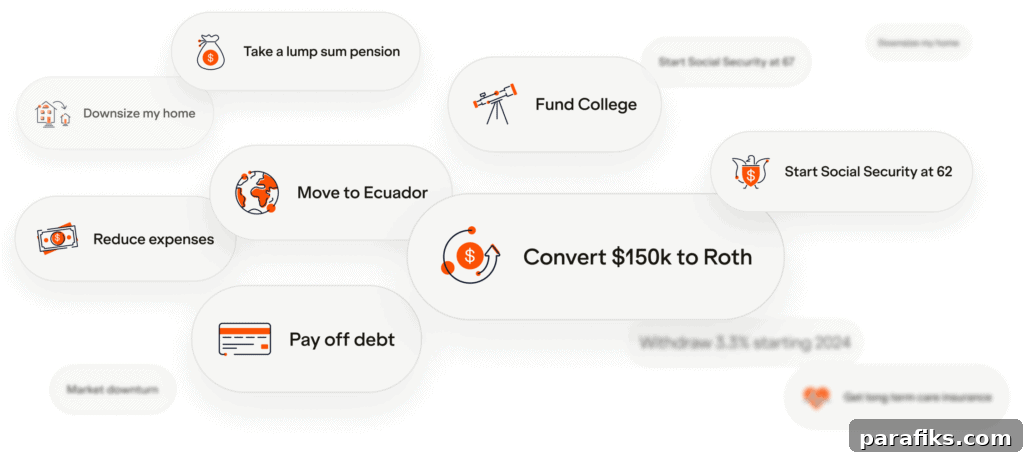
Boldin makes it easy to compare multiple plan versions—retiring at different ages, claiming Social Security at different times, or moving to another state. Each scenario updates instantly, helping you weigh trade-offs and make informed choices.
2. Roth Conversion Explorer
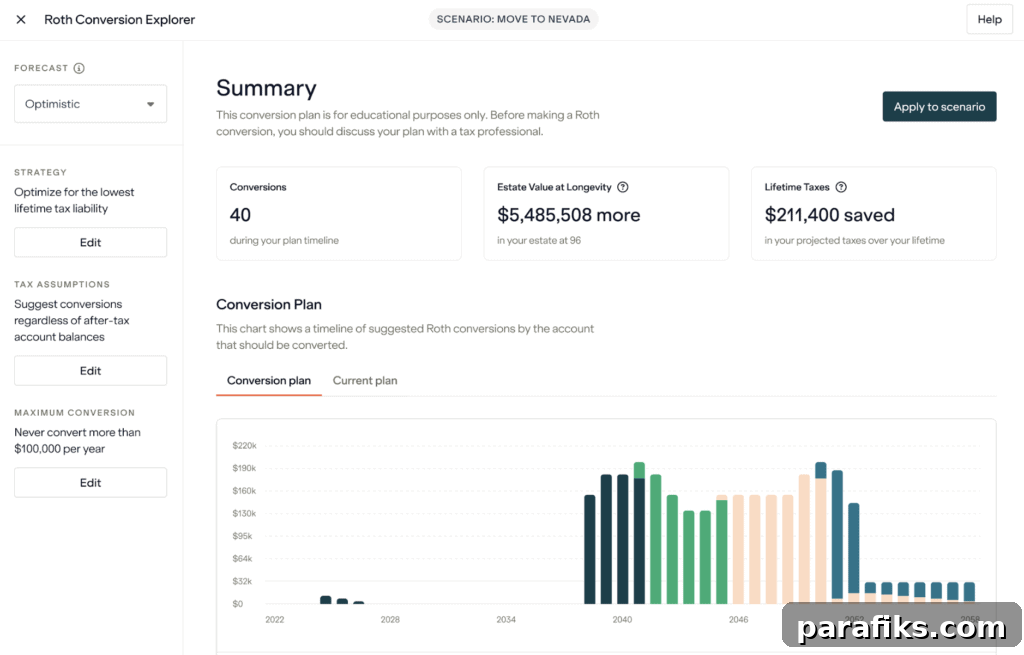
Available with PlannerPlus (paid plan), the Roth Conversion Explorer helps you determine when and how much to convert from tax-deferred accounts to a Roth IRA. It factors in tax brackets and income projections and lets you test different conversion strategies over time.
3. Actionable recommendations
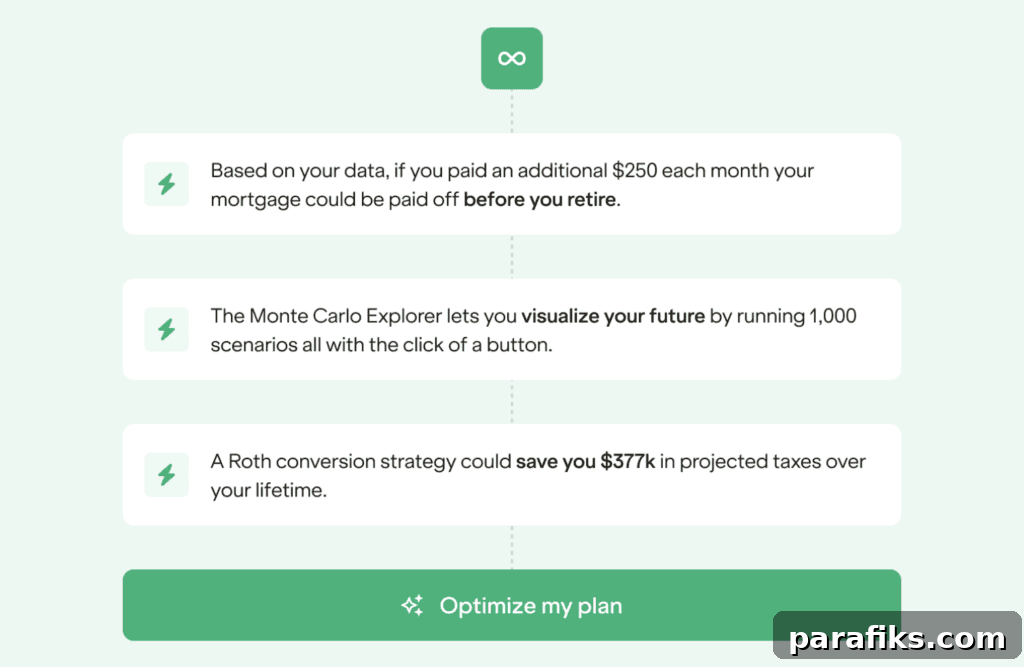
Boldin provides alerts and suggestions to improve your trajectory—for example, recommendations on extra mortgage payments or adjustments to savings that could accelerate your timeline. These practical tips make it easier to take small steps with meaningful impact.
4. Classes and live events
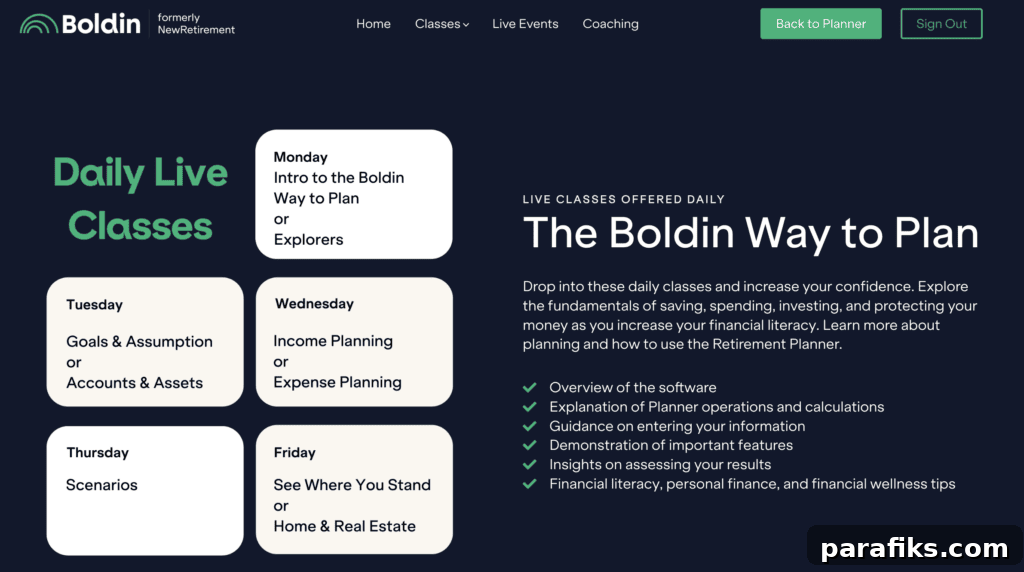
PlannerPlus subscribers can join live sessions and access recorded classes to learn from Boldin experts. Topics include financial conversations with partners, mortgage choices, HSA fundamentals, tax planning, retirement income, and estate planning—useful support while building or refining a plan.
5. Real-time monitoring and watchlist
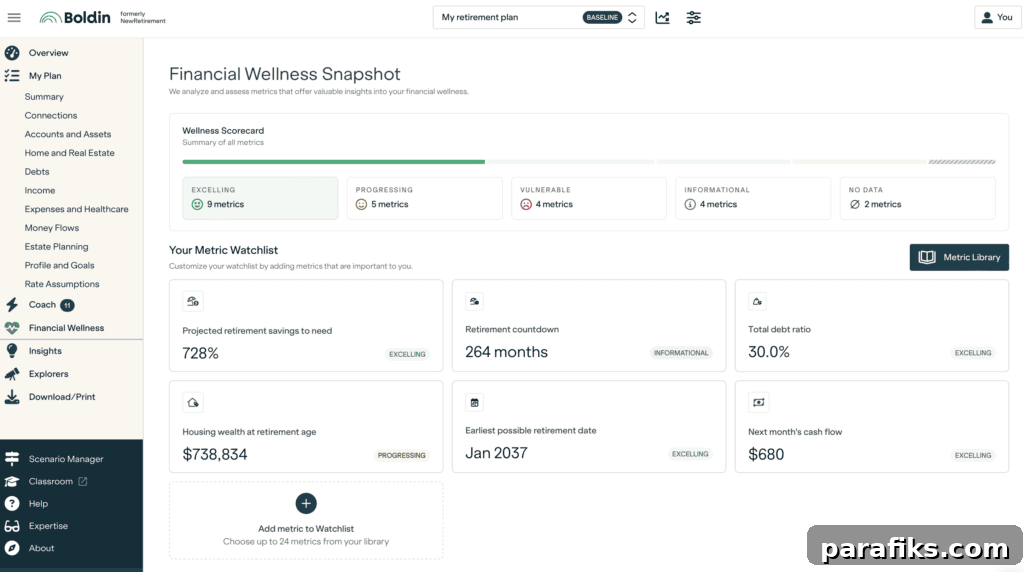
Boldin offers a snapshot of your financial health and a customizable watchlist. You can monitor metrics like savings rate, retirement savings projection, cash flow, earliest retirement date, retirement countdown, and debt ratio—about 25 metrics in total—so you always know where you stand.
Explore your chances of financial success and learn steps to improve with Boldin.
How Much Does Boldin Cost?
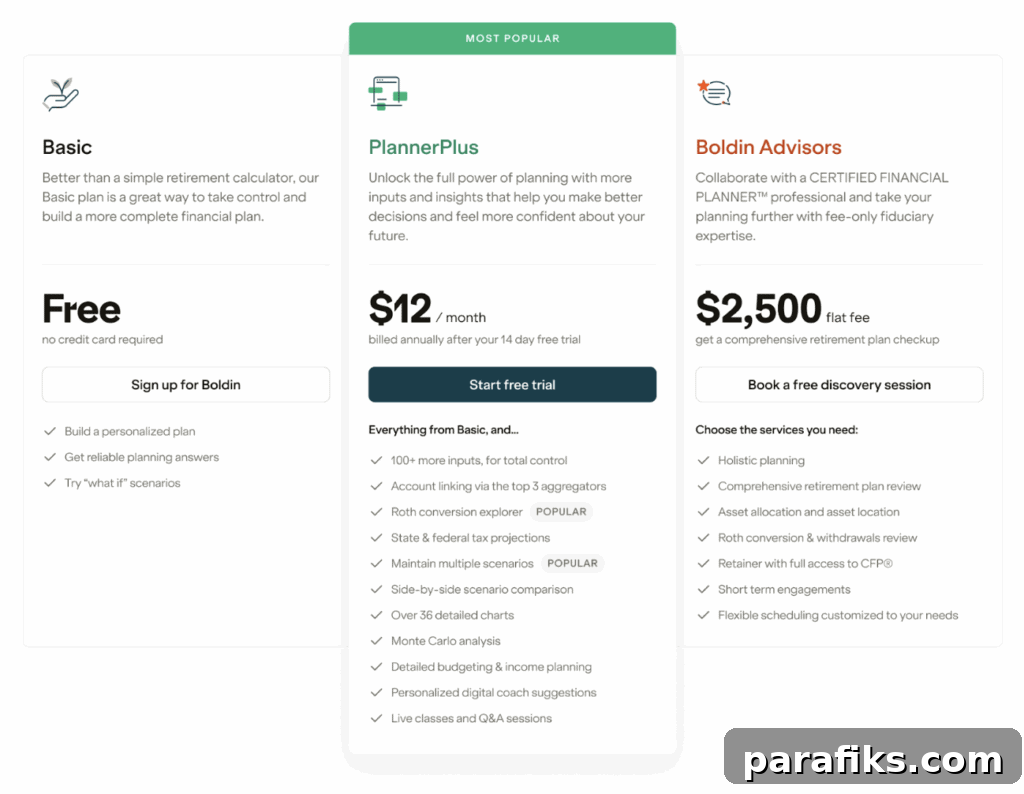
Boldin offers a free tier and a paid plan called PlannerPlus.
- Free plan – Includes the basic dashboard, calculators, and simple projections. Good for a quick overview and initial exploration without cost.
- PlannerPlus – $12 per month or $144 per year, with a 14-day free trial. PlannerPlus unlocks premium tools: Roth conversion modeling, advanced tax strategies, detailed budgeting and income planning, live classes, Monte Carlo analysis for risk testing, real-time net worth tracking, an extensive class library, account linking for live updates, and more. It’s geared toward users who want deeper analysis and ongoing support.
Choose the free plan if you want a basic snapshot. Upgrade to PlannerPlus if you need in-depth scenarios, tax optimization, and continuous planning tools. Both plans offer valuable insights; PlannerPlus adds powerful features that justify the cost for serious planners.
Pros and Cons of Boldin
Pros:
- Intuitive, practical financial planning tools
- Clear visual charts and graphs
- Affordable pricing, with a free option
- No requirement to link accounts
- Personalized, goal-based planning
Cons:
- The amount of input options can feel overwhelming at first, though adding data is straightforward
- No dedicated mobile app—mobile users must access the platform through a browser
Frequently Asked Questions
Here are answers to common questions about Boldin.
Is Boldin PlannerPlus worth it?
If you’re serious about retirement planning, PlannerPlus is worth considering. The free version is useful for a basic review, but PlannerPlus adds tools that materially improve planning—tax strategy modeling, Roth conversions, real estate and withdrawal strategy modeling, customizable assumptions, side-by-side scenario comparisons, and live classes. For $12 a month or $144 a year, it’s an affordable way to gain clarity and make smarter decisions.
Do I need to link my accounts?
No. Linking accounts is optional. You can enter all data manually if you prefer full control and privacy.
Does Boldin work for couples?
Yes. You can model plans for one or two people, making it suitable for joint planning and couple-specific scenarios.
Is Boldin better than Empower?
They serve different needs. Empower (formerly Personal Capital) excels at tracking net worth and investments, while Boldin focuses on planning—retirement timing, tax strategies, spending, and healthcare costs. Many people use both: Empower for investment tracking and Boldin for retirement planning.
Can I use Boldin with a financial advisor?
Yes. Many users share Boldin plans with advisors or use the platform to guide advisor meetings and discussions.
Is Boldin easy to use?
Yes. You can set up a basic plan in minutes or spend time adding details for more precise projections. The interface accommodates both quick use and deep-dive analysis.
Is Boldin safe to use?
Boldin uses bank-level encryption and follows data privacy practices. If you prefer, you can avoid linking accounts and enter information manually to maintain control over your data.
Why did NewRetirement change to Boldin?
The company rebranded from NewRetirement to Boldin in 2024 to better reflect its mission: helping people be bold and confident about retirement. The platform’s functionality remained largely the same.
Boldin Review – Summary
So, is Boldin worth it? For people preparing for retirement or already retired, Boldin is one of the strongest planning tools available. It answers major retirement questions, provides clear visuals and actionable recommendations, and helps users feel more confident about their choices.
If you enjoy running scenarios and prefer a dedicated planning tool rather than spreadsheets, Boldin streamlines the process and makes analysis accessible. I plan to keep my subscription and refer back to the platform regularly.
Boldin helps you:
- Stay organized
- Set and track financial goals
- Identify actions to improve your timeline or confidence
- Make informed retirement decisions
If you’re ready to take control of your financial future, I recommend giving it a try.
Try Boldin for free.
Have you used Boldin? Do you prefer building your retirement plan with a tool like this, spreadsheets, or a financial advisor?
Note: Images used in this review are not from my personal finances; they were provided by Boldin or created with a separate test account.
Recommended reading:
- How To Come Up With A Financial Plan Without Visiting A Professional
- How To Start Investing For Beginners With Little Money
- How To Get Rich: The Steps To Build Wealth Now
- 20 Ways To Organize Your Life
- Answers To The Most Common Questions About How To Save For Retirement
- How I Retired At Age 30 with $500,000
- 13 Best Early Retirement Books
- How To Create a Realistic Financial Plan (That You’ll Actually Stick To)