
The following is a sponsored partnership with Kudos.
Have you heard about Kudos, the free AI-powered wallet that helps you get more from your cards? In this Kudos Review, I’ll walk through how the desktop browser extension and mobile app help you earn maximum rewards and benefits when shopping online. With the average member earning about $750 per year, this tool can make a real difference.
The Kudos extension helps you pick the best card for each purchase, autofill card details (including CVV) with a single click, discover new cards that fit your spending habits, and more.
So far, Kudos members have earned over $150 million in rewards.
Kudos offers a free plan to get started immediately and a Premium plan with extra features such as bill negotiation and subscription cancellation.
If you don’t want to leave money on the table, Kudos removes the guesswork of deciding which credit card to use for each online purchase.
Personally, I find Kudos extremely useful. With multiple rewards cards and different category bonuses, Kudos instantly identifies the best card for each transaction, saving time and helping me earn more.
This ensures you tap the full potential of your credit cards.
Key Takeaways from this Kudos Review
- Kudos is a free AI-powered wallet that helps you maximize credit card rewards when shopping online—groceries, clothing, travel, furniture, and more—with one click.
- No more guessing which card to use: Kudos automatically recommends the best card at checkout so you earn the highest cashback, points, or miles on every transaction.
- Kudos supports over 2 million stores, making it likely your favorite retailers are covered.
- If your card doesn’t normally offer rewards, you can still earn by shopping at participating merchants through the Kudos extension.
- Kudos works with major desktop browsers (Chrome, Safari, Edge) and is available as an iPhone app, so you can boost rewards across devices.
Kudos Review
Below is my detailed review of Kudos.
What is Kudos?
Kudos (Kudos Technologies, Inc.) is an AI-powered browser extension and mobile app designed to help you make the most of your credit cards when shopping online. Founded by Tikue Anazodo and Ahmad Ismail, Kudos has been featured in major outlets and built to simplify the complicated world of credit card rewards.
Think of Kudos as a smart wallet for your browser. After you add the cards you use (no sensitive bank logins required), Kudos analyzes your cards’ benefits and recommends the best card at checkout based on category bonuses, statement credits, and other perks.
Credit cards often carry different advantages—bonus categories, purchase protections, extended warranties, and more—that can be hard to track. Kudos consolidates this information and ensures you use the card that maximizes rewards for each purchase.
Members have earned over $150 million in rewards, and the average member increases rewards by roughly $750 per year. Kudos is easy to add to desktop browsers (Chrome, Safari, Edge) or use on iPhone, and the basic plan is free. Kudos earns revenue through small commissions when members shop at participating merchants or apply for recommended cards.
Without an assistant like Kudos, you may miss opportunities to earn extra rewards. Kudos provides a simple, free way to avoid leaving rewards on the table.
How Kudos works
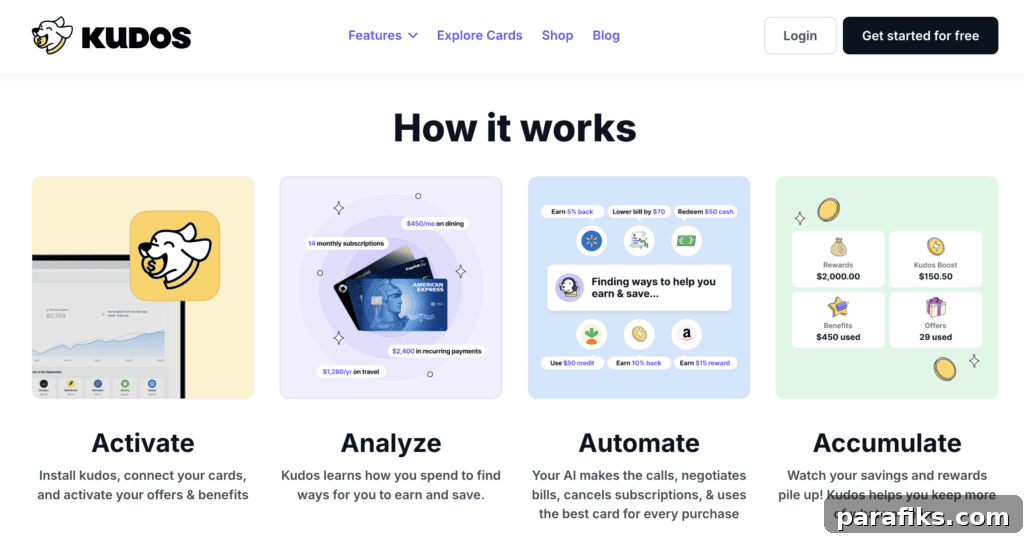
When you’re ready to check out online and hesitate—“Which card should I use?”—Kudos steps in. After you add your cards to the Kudos wallet, the extension or app suggests the card that will deliver the most rewards for that purchase.
Getting started is straightforward:
- Install the Kudos browser extension (Chrome, Safari, Edge) or the iPhone app and provide basic details about your cards and preferences.
- Shop as usual.
- At checkout, Kudos appears to recommend the best card to maximize rewards and benefits for that purchase.
- Select the recommended card and, if desired, allow Kudos to autofill the card details to complete checkout quickly.
What stores does Kudos work on?
Kudos works with over 2 million online stores and supports more than 3,000 credit cards, so coverage is broad. If a store or card appears unsupported, Kudos’ support team is responsive and can often assist.
Kudos vs. other rewards tools: What sets Kudos apart?
Kudos differs from tools like Rakuten, Honey, and Capital One Shopping by focusing on optimizing your entire credit card strategy, not just coupons or cashback links. Its AI analyzes your specific cards and spending patterns to recommend the best card for each purchase, helping you maximize cashback, points, miles, and card-specific perks such as statement credits or insurance benefits.
Main Features of Kudos
Kudos offers features that help you stretch your spending further and capture rewards more consistently:
Maximize your credit card rewards
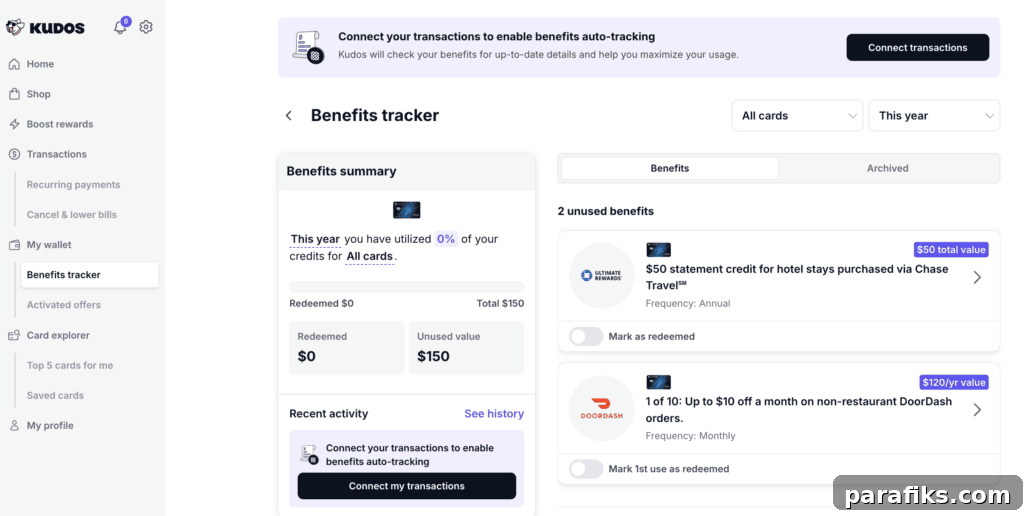
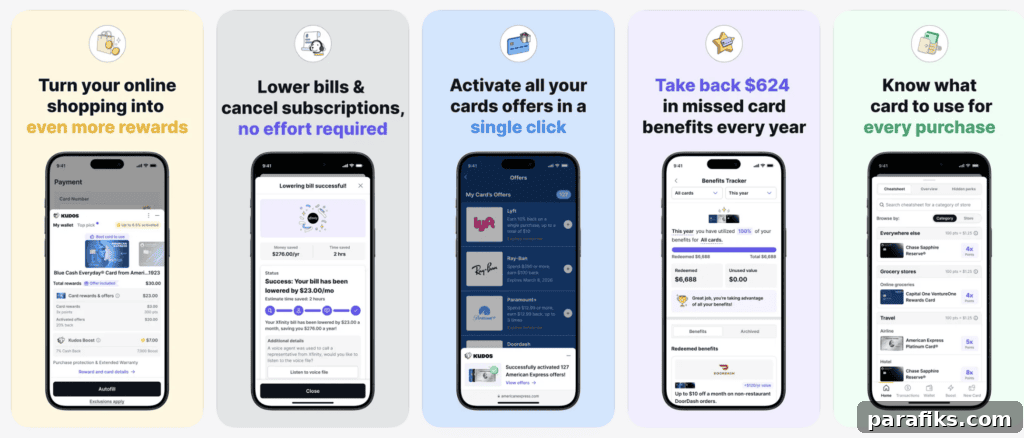
Kudos recommends the best card for each purchase so you earn the highest possible cashback, points, or miles. It also consolidates your cards’ benefits in one place so you can see protections and perks you might otherwise miss.
Optionally, you can add card details to speed checkout: Kudos can autofill card information including CVV for a faster experience. Kudos also offers a “Dream Wallet” quiz that helps tailor recommendations based on your habits and goals.
Get cash back
Kudos provides cashback from around 15,000 stores and passes 100% of the merchant commissions they receive back to users as cashback.
Kudos can negotiate your bills for you
A notable Premium feature is AI bill negotiation. If you want lower monthly bills (phone, internet, etc.) but don’t want to spend time negotiating, Kudos’ AI can handle the call and conversation for you. You keep 100% of any savings—Kudos does not take a cut.
The process is simple: choose the bill inside the app, tap “Lower my bill,” and the AI performs the negotiation. If verification or approval is needed, you provide a code. The process typically takes around 10 minutes.
Subscription cancellation
Kudos can detect recurring charges and help you cancel unwanted subscriptions. After you select a subscription to cancel, Kudos guides or automates the cancellation steps so you don’t have to hunt through account settings.
Personalized credit card recommendations
Kudos’ Explore Tool offers curated card offers and comparisons, helping you find cards that match your needs. Through partners, Kudos highlights elevated offers and makes it easier to compare options in one place.
Card-linked offers
Kudos can automatically activate card-linked offers from major issuers so you can earn additional rewards on top of your card’s base rewards at participating merchants.
Answer all your credit card questions with MariaGPT
MariaGPT is an AI assistant in the Kudos mobile app that answers credit card questions, explains your cards’ benefits, and offers personalized card suggestions based on your spending and goals.
Frequently Asked Questions about Kudos
Here are common questions about the free AI-powered Kudos wallet.
Is Kudos free to use?
Yes—Kudos offers a free plan.
How does Kudos make money?
Kudos earns commissions from card issuers when users apply for cards through the platform and offers a paid Premium plan with additional features.
Is there a Kudos referral code?
Yes. The referral code mentioned here is CENTS for new sign-ups.
How much can you earn with Kudos?
On average, Kudos members reportedly earn about $750 per year in additional rewards by using the service.
Do I need to provide my credit card numbers to use Kudos?
No, entering full card numbers is optional. You can simply list the cards you own so Kudos can recommend the best one. Entering card details speeds up checkout via autofill but is not required to use the core features.
Can I use Kudos with other browser extensions?
Using multiple rewards extensions or services in the same session (Rakuten, Honey, Capital One Shopping, etc.) can interfere with Kudos’ ability to earn affiliate commissions. For best results, use Kudos exclusively during a shopping session.
Is Kudos legit?
Yes. Kudos is a legitimate browser extension and app used by hundreds of thousands of shoppers who have collectively earned significant rewards. The extension and app have positive user ratings on major platforms.
Is Kudos safe and secure?
Kudos uses industry-standard protections, including bank-grade 256-bit encryption, to protect user data. According to their policies, they do not sell or share personal information with third parties. As with any service, review privacy and security details before storing sensitive data.
My Kudos Review: Final Thoughts
Kudos is a helpful, AI-driven tool for anyone who uses multiple credit cards or wants to make sure they’re earning maximum value from each purchase. Its recommendations simplify the often confusing landscape of card benefits by analyzing thousands of card features and suggesting the best option for each transaction.
Alongside one-click autofill and cashback options, Kudos streamlines checkout and can uncover perks you might otherwise miss. For me, it’s become an essential shopping tool: instead of mentally juggling which card to use, I rely on Kudos to identify the best card and save time while boosting rewards.
Do you use Kudos? What other questions do you have about this Kudos review?